OpenShot
Here's the thing about video editing software: it's either free and terrible, or good and costs you a monthly subscription forever. OpenShot said "nah" to that entire premise. It's free. It's genuinely good. And it runs on literally everything—Linux, Mac, Windows, your grandma's laptop from 2015. This is what open source looks like when it actually works.
Visit Website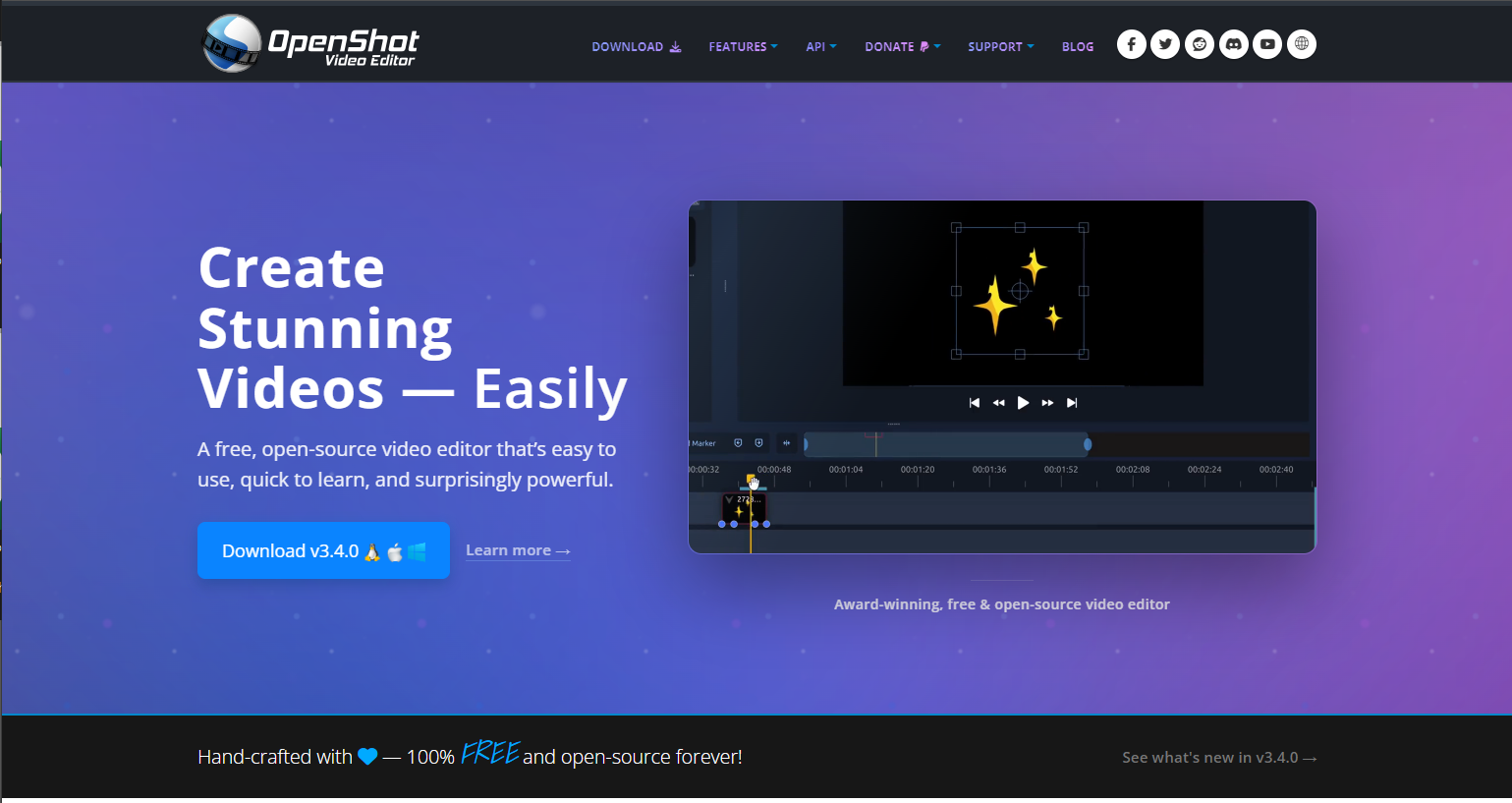
Why OpenShot Deserves This
Let's be honest—most "free" video editors are either abandoned projects from 2012, or they're "free" with a giant watermark unless you pay up. OpenShot is neither. It's actively developed, properly maintained, and backed by a community that actually gives a damn.
Jonathan Thomas started this project back in 2008 because he wanted to edit videos on Linux without crying. That frustration turned into something millions of people now rely on. YouTubers, small businesses, students, nonprofit organizations—people who need to cut video but can't justify (or afford) Adobe's subscription model.
The website itself is clean, honest, and refreshingly free of dark patterns. No "start free trial" buttons that secretly capture your credit card. No AI chatbot trying to upsell you. Just: here's the software, here's how to download it, here's how to help if you want to. That's it. That's the whole pitch.
What Makes It Actually Good
Drag-and-Drop Everything
Throw your clips on the timeline. Drag them around. Trim by pulling edges. It works exactly how you'd expect video editing to work. No certification required.
Unlimited Tracks
Layer as many video and audio tracks as your project needs. Watermark layer on top, background music underneath, b-roll in between. Go nuts.
Effects That Don't Suck
Transitions, color grading, chroma key (green screen), 3D animations, slow motion, time mapping. The effects library is legitimately impressive for free software.
70+ Languages
Translated by the community into over 70 languages. Video editing shouldn't require speaking English, and OpenShot gets that.
The Numbers
Who's This Actually For?
YouTubers on a budget: You don't need Premiere Pro to cut talking head videos and add some b-roll. OpenShot handles that workflow perfectly.
Small businesses: Need to make a product video or social media clip? Done. No Adobe subscription eating into your margins.
Students and educators: School projects, lecture recordings, educational content. Free software means every student has access, not just the ones who can afford subscriptions.
Linux users: Finally, a video editor that doesn't treat Linux as an afterthought. OpenShot was built for Linux first, then expanded to other platforms.
Anyone who hates subscriptions: Download it once. Use it forever. No monthly fees, no "your trial has expired," no corporate nonsense.
The Open Source Angle
OpenShot is GPL v3 licensed, which means the code is truly free. Not "free but we own your data" free. Not "free tier with annoying limitations" free. Actually, genuinely, use-it-however-you-want free.
The project accepts donations through Patreon and one-time contributions, but there's no guilt-tripping or feature-gating. Donate if you want to support development. Don't if you can't. The software works the same either way.
That's increasingly rare. Most "free" tools are either venture-funded time bombs waiting to enshittify, or they're abandon-ware that stopped getting updates when the original developer got a real job. OpenShot has survived 17+ years because the model actually works: make something useful, let people use it, accept support from those who can give it.
The Website Itself
OpenShot.org is what a software website should be. Clear value proposition at the top. Big download button that actually downloads the software (not a landing page for your email). Feature overview that shows, not tells. User guide and tutorials for when you get stuck.
The design is clean without being sterile. It looks modern without chasing trends that'll age poorly. It loads fast because it's not crammed with tracking scripts and chat widgets. It respects your time and your bandwidth.
There's something refreshing about a website that just... works. No cookie consent popups (because they're not tracking you). No newsletter signup interrupting your scroll. No "we use AI" badges stuck everywhere. Just information about software, presented clearly.
The Bottom Line
OpenShot isn't trying to compete with DaVinci Resolve for Hollywood color grading. It's not gunning for Premiere Pro's market share among professional editors. It's not that, and it doesn't pretend to be.
What it is doing is making video editing accessible to everyone. The student who can't afford software. The nonprofit that needs to stretch every dollar. The hobbyist who just wants to cut together vacation footage. The small creator who refuses to pay a subscription tax to Adobe forever.
For March 2026, we're recognizing OpenShot as our Website of the Month—not because it's the flashiest or most feature-packed option out there, but because it represents something worth celebrating: open source software that actually delivers on its promise. Free as in freedom, free as in beer, and free of the bullshit that plagues most software in 2026.
Download it. Try it. If you like it, consider throwing a few bucks at the project. That's how this stuff survives.